Users
Overview
The Users page allows administrators to create new G-Immute system administrator accounts. These are web interface login accounts — separate from the backup user accounts created in Browse Repo. Use this page to grant additional administrators access to the G-Immute web interface.
To access this page, click on USERS from the left navigation menu.
Create User
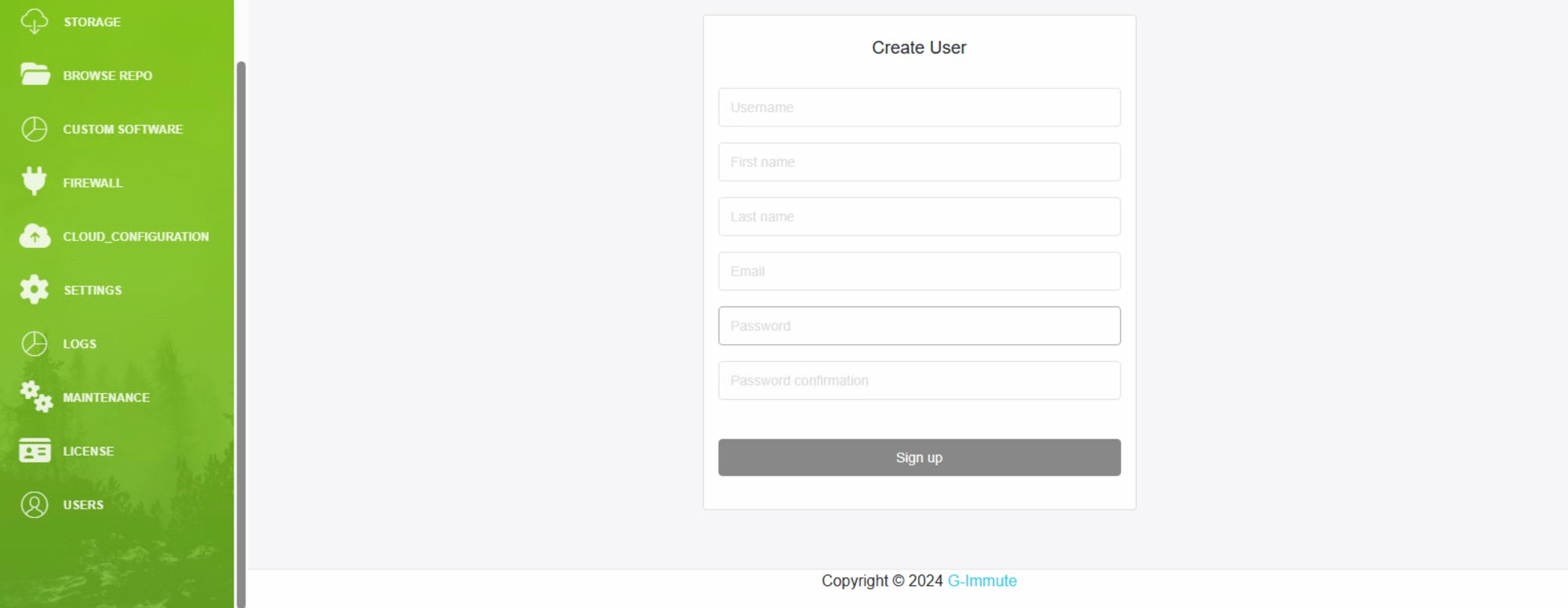
Figure 60 — Users page — Create User form
| Element | Description |
|---|---|
| Username | Enter a unique username for the new administrator account. This will be used to log in to the G-Immute web interface. |
| First name | Enter the first name of the new user. |
| Last name | Enter the last name of the new user. |
| Enter the email address for the new administrator account. | |
| Password | Set a secure password for the new account. |
| Password confirmation | Re-enter the password to confirm it matches. |
| Sign up button | Click to create the new administrator account. The user will then be able to log in to the G-Immute web interface with these credentials. |
note
Users created here are G-Immute web interface administrators. They are different from backup users created in Browse Repo. Backup users are used for repository access only, while Users here can log in and manage the entire G-Immute system.